
Only logged in customers who have purchased this product may leave a review.
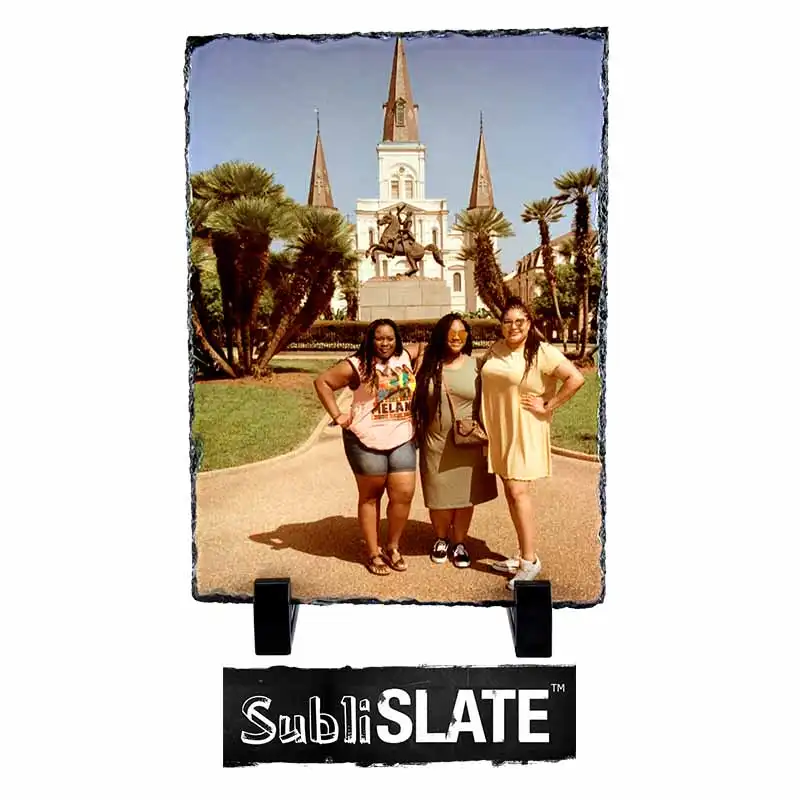
SubliSlate Slate Plaque – Rectangle Gloss
$12.99
Sizing Info: 5.9″ x 7.87″
Country Of Origin: China
SKU:
SUSL873
Category: Plaque
Reviews (0)
Details
SubliSlate Rectangle Plaque 5.9" x 7.87"
SubliSlate features a white gloss sublimation surface, unique fractured edges, and includes black plastic feet, making it perfect for vibrant photo displays like family or pet portraits.
ADDITIONAL DETAILS
- Dimensions: 5.9" x 7.87" x 3/8", with a natural size variation of up to -0.4"
- Material: Smooth, machined slate with unique fractured edges for a rustic, natural look
- Coating: White gloss sublimation surface for vibrant and detailed image transfers
- Display: Includes two black plastic feet for stable tabletop presentation
- Production Requirements:
- Requires a green rubber pad, 1/8" thick and at least an inch larger than the plaque (sold separately) - Case Quantity: 28 (Sold Individually)
Instructions
SubliSlate Sublimation Instructions
Instruction Details
Temperature: 400
Time: 7 minutes
Pressure: Medium
Prepress:
Additional: Heat Tape
Paper: DYETRANS SPP (All printers) TEXPRINT DT (Ricoh/Sawgrass Printers) TEXPRINT Light (Epson Printers)
Product ID: SUSL873
Instructions
1. Cover the bottom TABLE of the press WITH a sheet of protective paper.
2. Wrap your transfer around your slate AND tape it TO the back of the slate USING heat tape.
3. Place substrate face up, WITH attached transfer face down, ON top of protective paper, ON bottom table.
4. Cover it WITH a piece of protective paper AND 1/8" Heat Conductive Green Rubber Pad and press according to time, temperature, and pressure above.
Application notes: If you do not use a green pad, your transfer paper may stick to the Slate and it is difficult to remove. Once your green pad heats up, you might want to reduce press time by about 30 seconds. Cleaning the slate before pressing is recommended.
Laser Cutting:
35 watt laser at 70% power and 100% speed at 500ppi
2. Wrap your transfer around your slate AND tape it TO the back of the slate USING heat tape.
3. Place substrate face up, WITH attached transfer face down, ON top of protective paper, ON bottom table.
4. Cover it WITH a piece of protective paper AND 1/8" Heat Conductive Green Rubber Pad and press according to time, temperature, and pressure above.
Application notes: If you do not use a green pad, your transfer paper may stick to the Slate and it is difficult to remove. Once your green pad heats up, you might want to reduce press time by about 30 seconds. Cleaning the slate before pressing is recommended.
Laser Cutting:
35 watt laser at 70% power and 100% speed at 500ppi

Talk to Us
Chat with a Real Person
Reviews
There are no reviews yet.